In photography, the bokeh effect is a popular stylistic device to highlight subjects and immerse the background in an aesthetic blur. But how can you deliberately use this effect? In this article, we dive into the world of bokeh and provide practical tips to create stunning images.
Key Insights
- Choosing the right aperture is crucial for beautiful bokeh.
- A large distance between the subject and the background enhances the effect.
- Light sources in the background can create creative bokeh shapes.
- High-quality lenses improve the quality of the bokeh.
- Post-processing offers additional ways to optimize the bokeh effect.
The Magic of Aperture

Why a Large Aperture is Crucial
A large aperture, meaning a small f-number like f/1.8 or f/2.8, is the key to impressive bokeh. It ensures that the background blurs and the main subject stands out clearly. This technique directs the viewer’s attention directly to the essential part of the image. Imagine taking a portrait photo and the background transforms into a gentle sea of colors – that’s the magic of a large aperture.
How Aperture Blades Affect Bokeh
The shape of the aperture blades in your lens plays a significant role in how the bokeh looks. Lenses with more blades often produce rounder and softer bokeh. Polygonal shapes, on the other hand, occur with fewer blades and give the image a different, sometimes edgier aesthetic. So if you’re looking for a specific bokeh style, it’s worth paying attention to the aperture blades.
Tips for Choosing the Right Aperture
- Experiment with different apertures and observe the changes in bokeh.
- Use a large aperture for portraits to highlight the subject and soften the background.
- Test different lenses to find out which achieves the desired bokeh effects.
Choosing the right aperture can make the difference between an ordinary and a stunning photo. It’s amazing how a small detail like the aperture can change the entire impact of an image.
For more tips on how to use the bokeh effect in your photos, check out this guide that shows you how to create impressive backgrounds with natural light sources and various camera settings.
Light Sources and Their Influence on Bokeh
Creative Use of Point Light Sources
When experimenting with bokeh, point light sources are your best friend. These small light sources, like fairy lights or street lamps, transform into beautiful, circular blurs in the background of your photos. Why are they so special? Because they can give your image a magical atmosphere. Imagine photographing a person in front of a window with raindrops reflecting the light – the drops become small, glowing orbs. Ideal for romantic or dreamy scenes.
How Colors Enhance the Bokeh Effect
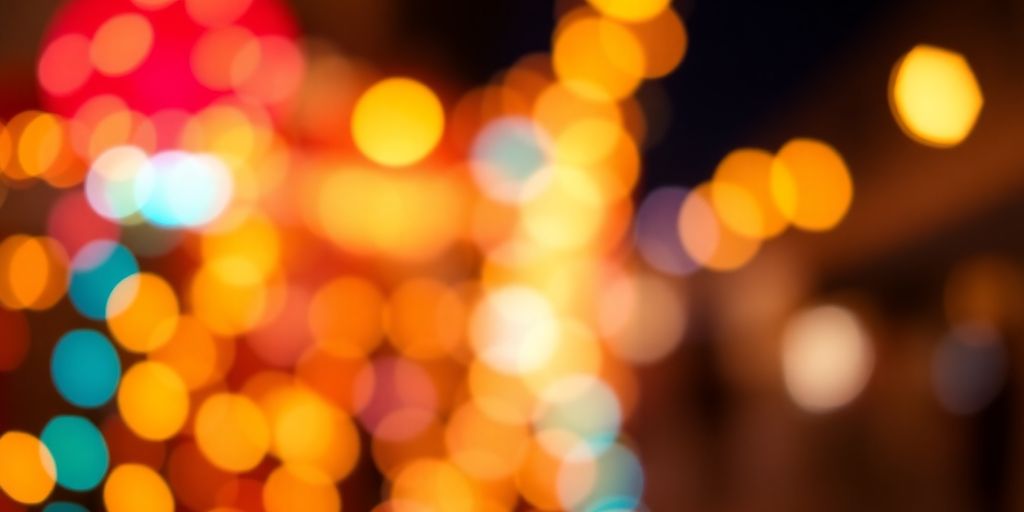
Colors play a crucial role in bokeh. Different colors in the background can enhance the effect and give your image more depth. Imagine having colorful lights in the background – these not only create the typical bokeh balls but also a colorful, vibrant look. Colored lights can really bring your photos to life. For example, when photographing in a city, use the different colors of neon signs or street lamps.
Experimenting with Different Types of Light
Different types of light offer different bokeh results. Natural light, like sunlight, can create soft, golden blurs, while artificial light, like neon lights, creates harder and clearer shapes.
- Sunlight: Perfect for soft, warm bokeh effects.
- Neon lights: Ideal for strong, high-contrast blurs.
- Candlelight: Gives your photos a nostalgic, cozy touch.
Tip: Tips for creating bokeh effects in photography emphasize the importance of the distance between the subject and the background. Experiment with different light sources to maximize your bokeh effect.
With these tips, you can deliberately use the influence of light sources on your bokeh and create unique, impressive photos. Go ahead, grab your camera, and give it a try!
Choosing the Right Lens for Perfect Bokeh
Why Focal Length Matters
Choosing the right focal length is a crucial factor when you want to achieve impressive bokeh. Longer focal lengths, like 85mm or 135mm, often create a softer and smoother background. These lenses bring the background closer and make it appear more blurred. If you enjoy taking portraits, a comparison of focal lengths between 24mm, 35mm, 50mm, and 85mm can help you better understand the impact on the image. Shorter focal lengths, like 35mm, offer a more lively representation and are excellent for scenes where more of the environment should be shown.
High-Quality Lenses for Better Results
Not only the focal length but also the quality of the lens plays a significant role. Lenses with large apertures, like f/1.4 or f/1.8, are ideal for highlighting the main subject and blurring the background. High-quality glass minimizes optical errors and ensures harmonious bokeh. Prime lenses are often preferred because they are known for their light intensity and image quality. If you choose a lens with rounded aperture blades, you’ll get more even and smoother bokeh.
Differences Between Wide-Angle and Telephoto Lenses
Wide-angle and telephoto lenses offer different bokeh effects. Wide-angle lenses, like 24mm or 35mm, capture more of the environment and are ideal for landscape shots where the background shouldn’t be completely blurred. Telephoto lenses, like 85mm or 135mm, compress the space and make the background appear dramatically blurred. A telephoto lens is perfect when you want to isolate the main subject and let the background disappear in a sea of blur.
“A good lens is like a good friend – it never lets you down, no matter what challenges you throw at it.”
Setting the Scene with Subject and Background
Want the perfect bokeh effect? Then keep enough distance between your subject and the background. The further your subject is from the background, the more impressive the bokeh. A few meters should do it. If you want large, glowing light balls in the background, try using a telephoto lens. It enlarges the lights without you having to get closer.
Don’t forget that your main subject must remain in focus. Set the camera so that the background blurs, but your subject is sharply focused. Sometimes it’s enough to close the aperture a bit to achieve this effect. Experiment with different apertures to get the best result.
Why not bring the foreground into play as well? With a bit of creativity, you can also create bokeh effects in the foreground. This gives your image more depth and makes it more interesting. Try using small lights or objects in the foreground that should become blurred.
A clever use of foreground bokeh can give your image a whole new dimension. It gives the photo a certain magic that captivates the viewer.
And don’t forget that you can still enhance a lot in post-processing. Programs like Lightroom offer you the opportunity to enhance the bokeh effect and give your image the final touch.
Optimizing Bokeh in Post-Processing
Programs for Enhancing Bokeh
If you think your photo could use a little more wow factor, then grab an image editing program! Photoshop or Lightroom are your best friends to bring out the bokeh. With a few clicks, you can enhance the blur in the background and give your photo the final touch. Whether you want to highlight the lights in the background or intensify the colors, these tools offer you endless possibilities.
Fine-Tuning the Blur
Sometimes a picture just needs a small adjustment to be perfect. With the right software, you can fine-tune the strength of the blur. Try different settings to see what works best. Maybe you want the background to appear even softer or highlight certain areas more sharply. This is your creative playground!
Creative Effects Through Digital Editing
Digital post-processing is like a magic box full of surprises. You can not only adjust the blur but also add creative effects. How about a gentle glow around the light sources or a gradient that makes the image more vibrant? Let your imagination run wild and experiment with different filters and effects to give your photo a personal touch.
In the digital world, the possibilities are almost limitless. A bit of creativity and the right tools – and a good photo becomes a true work of art.
Common Mistakes When Photographing Bokeh
Avoiding the Wrong Aperture Choice
A common pitfall is the wrong aperture choice. Many opt for too small an aperture, which weakens the bokeh effect. A wide-open aperture, like f/1.8 or f/2.8, allows the background to blur beautifully. Experiment with different apertures to find the perfect amount of blur.
Proper Use of Distance and Perspective
The distance between your subject and the background plays a significant role. The greater the distance, the more intense the bokeh effect. Make sure to leave enough space so that the background becomes blurred and your subject stands out.
Avoiding Blurry Shots
Nothing ruins a photo more than blurriness. Keep your camera steady, especially in low light. A tripod can work wonders here. If you don’t have one on hand, try placing the camera on a solid surface or supporting your arms against your body.
Pro tip: Use bokeh lenses with a large open aperture to achieve dreamy blurs. They are ideal for enhancing the desired effect.
Bokeh in Different Photography Styles
Bokeh in Portrait Photography
In portrait photography, bokeh is a real secret weapon. It helps you focus on your subject and make distracting elements in the background disappear. A wide-open aperture, like f/1.8 or f/1.4, is your best friend here. It ensures a blurred background and highlights the details of your subject. With a Canon lens, you can achieve this effect wonderfully. Don’t forget to properly light your subject’s face so it doesn’t get lost in the blur.
Landscape Photography with Bokeh Effects
Even in landscape photography, bokeh can add exciting accents. It’s about highlighting certain elements while the rest of the image fades into gentle blur. Especially at dusk or sunset, when the light is softer, you can play with bokeh. Try focusing on a subject in the foreground and letting the background blur. This gives your landscape photos a special depth.
Creative Applications in Urban Photography
In urban photography, bokeh is a real eye-catcher. The many lights and movements offer you countless opportunities to get creative. Use the colorful lights of cars or shop windows to create interesting bokeh effects. A telephoto lens can be useful here to transform lights into different sizes. Tip: Experiment with different focal lengths and apertures to find your own style.
Bokeh is not just a technical effect but an invitation to be creative. It allows you to play with light and blur and create unique images.
For those who want to further optimize the bokeh effect, there are great apps for dreamy bokeh effects that give your photos a special atmosphere.
Conclusion
That’s it! With a little practice and the right tricks, you can really bring out the bokeh effect in your photos. It’s truly fascinating how a blurred background can make the main subject shine. So grab your camera, try out the tips, and have fun experimenting. And remember, there’s no right or wrong – the main thing is that you enjoy your pictures. Have fun photographing!
Frequently Asked Questions
What exactly is the bokeh effect?
The bokeh effect describes the aesthetic quality of the blur in a photo. It occurs when the background is blurred while the main subject remains sharp.
Why is the aperture important for bokeh?
A large aperture, like f/1.8 or f/2.8, allows the background to be blurred and thus enhances the bokeh effect.
How does focal length affect the bokeh effect?
Longer focal lengths, like 85mm or 135mm, often create a stronger bokeh effect because they make the background blur more.
Can I achieve the bokeh effect with any lens?
Not all lenses are equally suitable for bokeh. Lenses with large apertures and special bokeh designs often deliver better results.
What role does the distance between the subject and the background play?
A greater distance between the subject and the background enhances the bokeh effect because the background appears more blurred.
Can I enhance bokeh in post-processing?
Yes, with programs like Photoshop or Lightroom, you can further optimize the bokeh effect in post-processing.